Your first reporting cycle
Sign in, find a company and understand the path from accounting inputs to a reviewed reporting view.
Before you start
You need your workspace address and an account with access to the relevant companies. Ask your workspace administrator if either is missing. This public help centre does not grant access to a private workspace.
1. Open your workspace
Use the address supplied by your team. In an SSO workspace, choose Sign in with Portcora and complete sign-in. Password-mode workspaces instead show Username, Password and Open workspace.
If a company is missing, check your account and access with the administrator. Changing a display or review role does not grant permissions.
2. Find the company
Open Companies, choose the relevant fund or company, and check its name. A company workspace can contain:
- Dashboard: a configured reporting view, where one exists.
- Company data: financial inputs and supporting information.
- Company settings: company identity, investments and reporting lines.
The Portfolio cockpit gives a broader view across selected companies. Start there for overall performance, then open a company for detail.
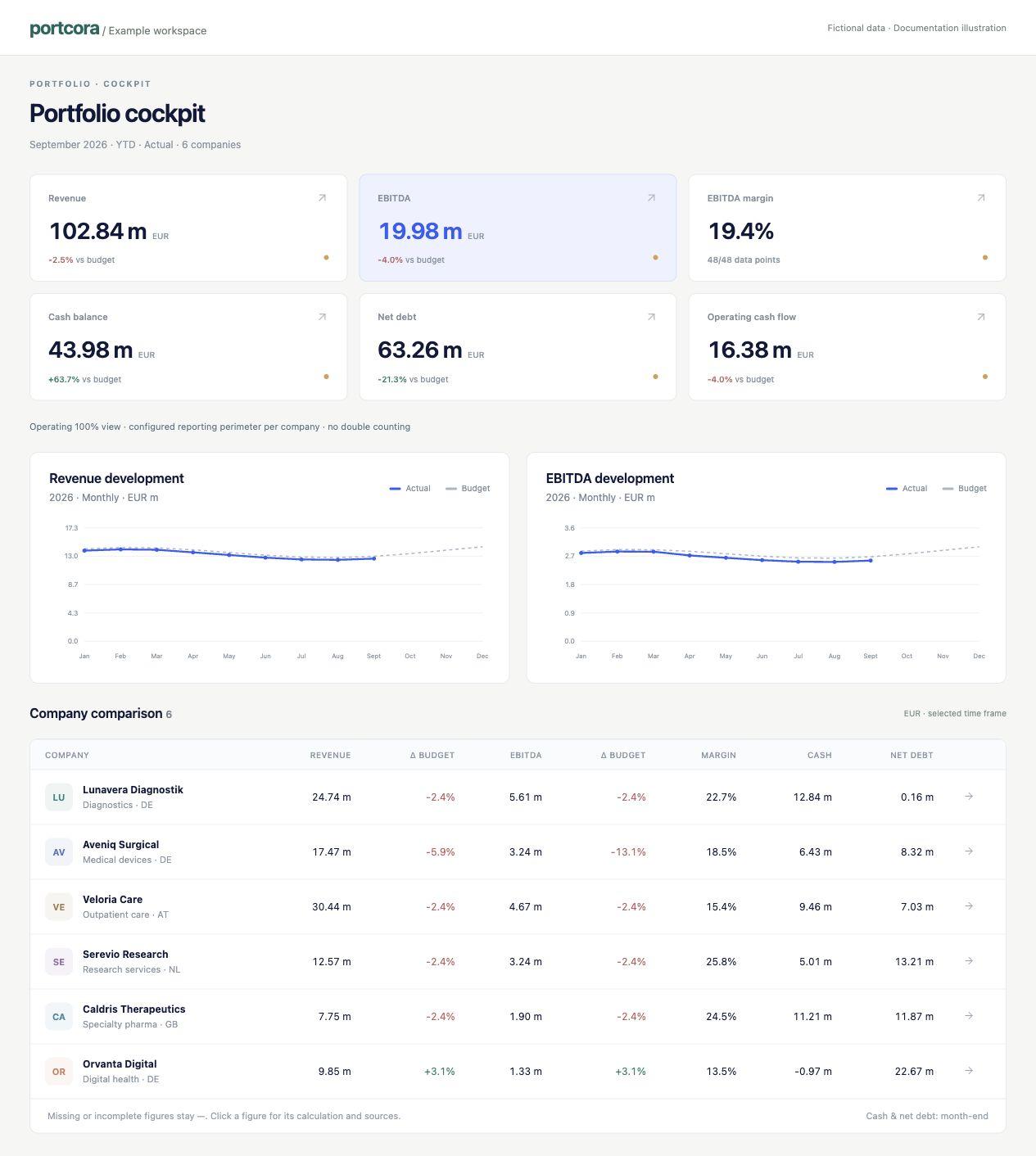
Example workspace: all company names and amounts are fictional.
3. Check the reporting context
Confirm the period, time frame and scenario. Check perimeter and currency when reading a value. Missing values are not zero. See periods and scenarios.
4. Bring in accounting actuals
Use Data → Import financial data for supported accounting exports. Follow How to import accounting actuals.
5. Review, then customize
Inspect imported values and their evidence in Company data. Imported actuals still need finance review. If a dashboard is configured, customize its widgets and pages.
No dashboard tab?
Creating a company does not automatically create its first dashboard in the current interface. Ask your workspace administrator to configure one. Do not import invented values to make a dashboard appear.
You are ready when
You can identify the right company and reporting context, find a value's source and explain whether it is approved. Continue with sources and approval.